

When choosing storage for a new computer or upgrading an existing one, one of the most common questions is: SSD vs HDD—which is better?
A solid-state drive (SSD) and a hard disk drive (HDD) perform the same basic job: they store your operating system, applications, documents, photos, and other data. The major difference is how they store and access that data. SSDs use flash memory with no moving parts, while HDDs store data magnetically on spinning disks.
For most modern laptops, desktops, and business computers, an SSD is the better choice for the primary drive because it provides much faster startup times, application loading, file access, and overall system responsiveness. HDDs, however, still have advantages when you need large amounts of storage at a lower cost per gigabyte.
So the answer isn’t simply that one technology is better in every situation.
In this guide, we’ll compare SSD vs HDD speed, performance, lifespan, reliability, cost, storage capacity, and long-term storage. We’ll also explain when an HDD still makes sense, how long SSDs typically last, and whether upgrading an older computer from an HDD to an SSD is worthwhile.
What Is an SSD?
An SSD (solid-state drive) is a storage device that uses flash memory to store data. Unlike a traditional hard disk drive, an SSD has no spinning disks, mechanical arms, or other moving parts.
Instead, data is stored electronically in NAND flash memory. This allows an SSD to access files much more quickly because it doesn’t have to wait for a mechanical read/write head to physically locate data on a spinning disk.
The advantages of SSD storage typically include:
- Faster Windows startup and shutdown
- Faster application loading
- Quicker file access and transfers
- Better overall system responsiveness
- Greater resistance to shock and vibration
- Quiet operation
- Lower power consumption in many applications
These benefits are particularly noticeable when an SSD is used as the primary drive containing Windows and your applications.
SSDs are available in several different interfaces and form factors. Two of the most common are 2.5-inch SATA SSDs and M.2 NVMe SSDs. SATA SSDs can provide a substantial performance improvement over traditional hard drives, while modern NVMe SSDs can offer significantly higher data-transfer performance when the computer supports them.
Because of these advantages, SSDs have become the standard primary storage technology in most modern laptops, desktops, and business computers.
What Is an HDD?
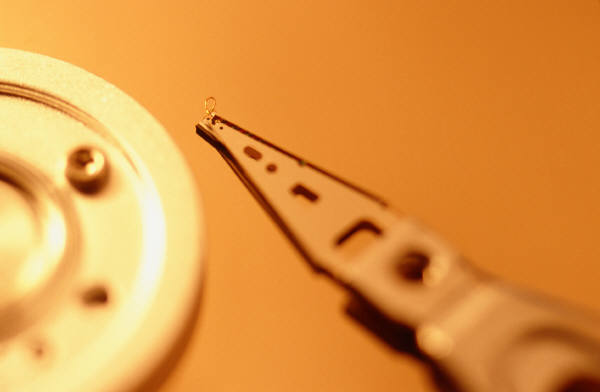
An HDD (hard disk drive) is a traditional storage device that stores data magnetically on one or more rotating disks called platters. A mechanical read/write head moves across the platters to locate, read, and write data.
Because an HDD relies on physical movement, accessing data takes longer than it does with an SSD. This mechanical design is one of the primary reasons computers with traditional hard drives can feel slower when starting Windows, opening applications, searching files, or performing other storage-intensive tasks.
However, HDDs continue to offer an important advantage: large amounts of storage at a relatively low cost per gigabyte.
Advantages of HDD storage can include:
- Lower cost per gigabyte
- High-capacity storage options
- Cost-effective storage for large collections of files
- Useful secondary storage when maximum speed isn’t necessary
- Practical options for certain backup and archival applications
HDDs are commonly available in 2.5-inch and 3.5-inch form factors and typically connect through a SATA interface in desktop and laptop computers.
Because hard drives contain moving components, they can also be more vulnerable to physical shock, vibration, and mechanical failure than solid-state drives. This is particularly important in laptops and other computers that are frequently moved.
For most modern computers, an HDD is no longer the ideal choice for the primary operating-system drive. However, HDDs can still make sense when high storage capacity and lower cost are more important than maximum performance.
SSD vs HDD: Key Differences at a Glance
The biggest difference between an SSD and HDD is the technology used to store and access data. SSDs use electronic flash memory, while HDDs rely on spinning magnetic disks and mechanical components.
Here’s how the two storage technologies compare:
| Feature | SSD | HDD |
|---|---|---|
| Technology | Flash memory | Magnetic spinning platters |
| Speed | Much faster | Slower |
| Boot & app loading | Fast | Noticeably slower |
| Moving parts | None | Yes |
| Noise | Silent | May produce spinning or clicking sounds |
| Shock resistance | Better | More vulnerable to physical shock |
| Power consumption | Generally lower | Generally higher |
| Cost per GB | Higher | Lower |
| Large-capacity storage | Available, but can cost more | Often more economical |
| Primary computer drive | Usually the better choice | Generally not preferred for modern PCs |
| Bulk file storage | Excellent, but more expensive | Cost-effective |
| Backup storage | Good | Often economical for large backups |
| Laptop use | Excellent | Less desirable due to speed and moving parts |
| Business workstation | Recommended for most users | Better suited to secondary/bulk storage |
SSD or HDD: Which Is Better?
For most people buying a computer today, an SSD is the better choice for the primary storage drive. The improvement in startup time, application loading, file access, and general responsiveness can make a substantial difference in everyday computer performance.
An HDD still makes sense when the priority is storing a large amount of data as economically as possible and high performance isn’t required.
You also don’t necessarily have to choose only one. A desktop computer, server, or other system can use an SSD for the operating system and applications while using one or more HDDs for high-capacity data storage or certain backup purposes.
The best storage configuration therefore depends on what matters most: speed, capacity, cost, portability, or the type of data being stored.
SSD vs HDD Speed: Which Is Faster?
When comparing SSD vs HDD speed, an SSD is significantly faster than a traditional hard disk drive in most everyday computing tasks.
The difference comes from how each drive accesses data. An HDD must spin its platters and physically move a read/write head to the correct location before retrieving data. An SSD has no moving parts and can access data electronically from flash memory.
This difference is especially noticeable when:
- Starting Windows
- Opening applications
- Installing software and updates
- Searching and accessing files
- Copying large amounts of data
- Loading games or large applications
- Running multiple applications simultaneously
- Performing storage-intensive business tasks
How Much Faster Is an SSD Than an HDD?
There isn’t one universal speed difference because performance varies by drive, interface, workload, and computer hardware.
A traditional SATA HDD commonly delivers sequential transfer speeds measured in the low hundreds of megabytes per second, while a SATA SSD can operate much closer to the practical limits of the SATA interface. Modern NVMe SSDs can be several times faster still, particularly for workloads that can take advantage of their higher throughput.
Raw transfer speed, however, tells only part of the story.
One of the biggest advantages of an SSD is its much lower access latency. Because an SSD doesn’t need to wait for a platter to rotate or a mechanical head to move, it can access many small files much more quickly.
That’s why replacing an HDD with an SSD can make a computer feel dramatically more responsive even when you’re not transferring huge files.
Why Is an SSD Faster Than an HDD?
An HDD is fundamentally a mechanical device.
Imagine asking it to retrieve thousands of small files scattered across a disk. The drive may repeatedly need to reposition its read/write head and wait for the appropriate portions of the platter to rotate underneath it.
An SSD retrieves data electronically from flash memory instead.
This makes SSDs particularly effective at the random reads and writes common during normal computer use.
Windows itself constantly accesses numerous small files in the background. Applications do the same when starting and operating. An SSD can handle these requests much more efficiently than a mechanical hard drive.
Will an SSD Make My Computer Faster?
If your computer currently uses an HDD as its primary drive, replacing it with an SSD can provide one of the most noticeable performance improvements available from a storage upgrade.
You may see improvements in:
- Windows startup
- Login responsiveness
- Application launch times
- File searches
- Software updates
- General navigation and responsiveness
However, an SSD cannot correct every performance problem.
A computer may still be slow because of insufficient RAM, an outdated processor, overheating, malware, failing hardware, excessive background applications, or other system problems.
If a computer is already several years old, it can therefore be worth comparing the cost of an SSD upgrade with the cost and benefits of replacing the computer entirely.
SSD vs HDD Performance in Everyday Use
The performance difference between an SSD and HDD is often more noticeable during everyday computer use than raw drive-speed specifications might suggest.
That’s because a computer constantly reads and writes data in the background. Windows loads system files, applications access libraries and configuration files, browsers maintain caches, security software scans files, and updates regularly write data to storage.
An SSD can respond to these requests much more quickly than a mechanical hard drive.
Windows Startup and Login
Computers with SSD storage generally start Windows and reach a usable desktop much faster than systems using traditional HDDs.
The difference can be particularly noticeable on business computers that automatically launch security software, cloud synchronization tools, Microsoft 365 applications, remote management software, and other services when an employee signs in.
Opening Applications
Applications installed on an SSD typically open faster because the drive can retrieve the numerous files required by the program with very low access latency.
This can make frequently used applications such as web browsers, Microsoft Office programs, accounting software, and line-of-business applications feel considerably more responsive.
Multitasking
An SSD doesn’t directly increase the amount of memory available to your computer, so it isn’t a replacement for having sufficient RAM.
However, when Windows needs to access storage while several applications are running, an SSD can handle those storage requests much faster than an HDD.
This can reduce some of the delays users experience when switching between programs or working with multiple applications.
Windows Updates and Software Installation
Operating system updates and software installations often involve reading, writing, replacing, and verifying thousands of files.
An SSD’s ability to handle these operations quickly can reduce the amount of time required for many installation and update tasks.
File Transfers
SSDs generally provide faster file-transfer performance than traditional hard drives, although actual speeds depend on several factors, including:
- The SSD or HDD model
- SATA or NVMe interface
- File size and number of files
- Source and destination drive
- USB or network connection speed
- Available system resources
A fast SSD cannot make a slow network connection or USB device transfer data beyond the limits of that connection.
Business Workstations
For a modern business workstation, an SSD should generally be considered the preferred primary storage device.
Employees interact with their computers throughout the workday, so even relatively small delays opening applications, accessing files, restarting computers, or installing updates can accumulate over time.
An SSD can improve the responsiveness of those routine operations and provide a better overall user experience.
For this reason, when purchasing new business desktops or laptops, we generally recommend choosing systems with SSD storage rather than a mechanical HDD as the primary drive.
SSD vs HDD Lifespan and Reliability
Both SSDs and HDDs can provide years of reliable service, but they fail for different reasons.
An HDD contains moving mechanical components, including spinning platters and read/write heads. Those components can wear over time and can also be damaged by shock or vibration, particularly while the drive is operating.
An SSD has no moving parts, making it much more resistant to physical shock and mechanical wear. However, the NAND flash memory used by an SSD can only withstand a finite number of write cycles.
For normal desktop, laptop, and business use, modern SSD endurance is generally sufficient for many years of operation.
How Long Does an SSD Last?
There is no exact number of years that every SSD will last.
SSD lifespan depends on factors such as:
- Drive quality and capacity
- Type of NAND flash memory
- Amount of data written to the drive
- Operating temperature
- Workload
- Available free space
- Firmware and controller health
- Power quality
- Overall system environment
For ordinary computer use, an SSD can often remain operational for many years, and most users are unlikely to reach the drive’s rated write endurance through typical office or home workloads.
SSD manufacturers commonly specify endurance using measurements such as TBW (Terabytes Written), which indicates approximately how much data can be written to the drive within its rated endurance specification.
Some drives may also provide a DWPD (Drive Writes Per Day) rating, particularly for enterprise applications.
Do SSDs Wear Out?
Yes. Writing data to NAND flash gradually wears its memory cells.
Modern SSDs manage this through technologies such as wear leveling, which distributes writes across available flash memory instead of repeatedly writing to the same cells.
For typical users, this process happens automatically and generally isn’t something they need to manage.
Heavy workloads involving continuous database activity, video processing, virtualization, or other write-intensive applications can place substantially more wear on an SSD than ordinary office computing.
How Long Does an HDD Last?
HDD lifespan also varies considerably.
Because hard drives are mechanical devices, components such as motors, bearings, platters, and read/write mechanisms can eventually fail. A drive can operate reliably for years or experience an unexpected failure much sooner.
Signs that an HDD may be developing problems can include:
- Unusual clicking or grinding sounds
- Increasingly slow file access
- File corruption
- Read or write errors
- Windows reporting disk problems
- SMART health warnings
- The computer freezing during disk activity
Any indication of a failing drive should be taken seriously, particularly if important data is stored on it.
Which Is More Reliable: SSD or HDD?
For laptops, desktops, and business workstations, SSDs have an important reliability advantage because they contain no moving mechanical components and are more resistant to shock and vibration.
However, neither SSDs nor HDDs should be considered failure-proof.
An SSD can fail because of flash memory wear, controller failure, firmware problems, electronic component failure, or other issues. HDDs can experience mechanical or electronic failures.
Most importantly, drive reliability should never be used as a substitute for backups.
Whether your computer uses an SSD or HDD, important business and personal data should be protected by a properly designed backup strategy. A storage device can fail unexpectedly regardless of its age, technology, or apparent health.
SSD vs HDD for Long-Term Storage
When comparing SSD vs HDD for long-term storage, neither technology is automatically the best choice for every situation.
The right option depends on how much data you need to store, how frequently you need to access it, how long the drive may remain unused, your budget, and whether another copy of the data exists.
HDD for Long-Term Storage
HDDs remain attractive for storing large amounts of data because they generally provide a lower cost per terabyte than SSDs.
This can make HDDs practical for:
- Large collections of photos and videos
- Archived business files
- Secondary storage
- Large local datasets
- Certain backup applications
- Data that doesn’t require SSD-level performance
If you need several terabytes of storage and don’t frequently access the data, the performance advantage of an SSD may not justify its additional cost.
However, an HDD is still a mechanical device. Drives can fail, and storing an HDD on a shelf does not guarantee that its data will remain recoverable indefinitely.
SSD for Long-Term Storage
SSDs provide advantages including fast access, resistance to shock, silent operation, and no mechanical components.
They can be excellent for active storage where data needs to remain readily available and frequently accessed.
However, SSDs should not be treated as infallible permanent archives either. Flash memory stores data as electrical charge, and long periods without power, drive age, NAND wear, storage temperature, and other factors can affect data retention.
For valuable data that needs to be preserved for many years, relying on a single unpowered SSD stored indefinitely is not a sound archival strategy.
Is HDD or SSD Better for Long-Term Storage?
For large amounts of infrequently accessed data, an HDD can still be a cost-effective choice.
For frequently accessed data where speed, portability, and resistance to physical shock matter, an SSD may be preferable.
But for truly important long-term data, the more important question isn’t simply whether to choose an SSD or HDD.
It’s how many independent copies of the data you have and where those copies are stored.
Important files should not exist on only one drive, regardless of whether that drive is an SSD or HDD.
Don’t Confuse Storage With Backup
A second drive containing the only copy of important files is storage—not necessarily a complete backup strategy.
For valuable business or personal data, consider maintaining multiple copies using different storage locations or systems. Depending on the situation, this could include local backup storage combined with secure cloud or off-site backup.
The objective is to prevent the failure, loss, theft, corruption, or destruction of a single device from eliminating the only available copy of your data.
Neither an SSD nor an HDD should be considered permanent, failure-proof storage.
SSD vs HDD for Backups
Both SSDs and HDDs can be used for backups, but an HDD is often the more economical choice for large local backup sets, while an SSD can be useful when backup and restore speed, portability, or resistance to physical shock is more important.
The best choice depends on the amount of data, how frequently backups run, how quickly data may need to be restored, and how the backup drive will be stored.
Advantages of HDDs for Backups
Traditional hard drives continue to be widely used for local backups because they offer large storage capacities at a relatively low cost per terabyte.
An HDD may make sense when you need:
- Several terabytes of backup capacity
- Cost-effective storage for large backup sets
- Multiple generations of files
- Storage for disk images or system backups
- A secondary or offline backup copy
For backups that run overnight or during periods of low activity, the slower performance of an HDD may not be a significant disadvantage.
Advantages of SSDs for Backups
An SSD can also be an excellent backup device, particularly when performance and portability matter.
Advantages can include:
- Faster backup and restore operations
- Faster access to individual files
- No moving mechanical components
- Better resistance to bumps and vibration
- Smaller and lighter portable drives
- Silent operation
An external SSD can be especially convenient for users who regularly transport backup data or need to restore large amounts of information quickly.
The tradeoff is that SSD storage can cost more per terabyte than comparable HDD storage.
Which Is Better for Backup: SSD or HDD?
For large, cost-sensitive local backups, an HDD is often the practical choice.
For portable backups or situations where faster backup and recovery performance matters, an SSD may be worth the additional cost.
But the type of drive is less important than having a reliable backup strategy.
A single external SSD or HDD connected permanently to the computer should not necessarily be your only protection. Malware, ransomware, theft, electrical damage, accidental deletion, or physical disasters can potentially affect both the computer and an attached backup device.
Use Multiple Layers of Backup Protection
Important data should ideally have more than one recoverable copy.
For a business, that may involve a combination of:
- Local backups for fast recovery
- Off-site or cloud backups
- Automated backup schedules
- Multiple backup versions
- Encryption
- Backup monitoring
- Periodic recovery testing
The goal isn’t simply to create a backup. The goal is to make sure the data can actually be recovered when it is needed.
Whether that backup resides on an SSD, HDD, cloud platform, or combination of technologies, backups should be monitored and tested rather than assumed to be working.
SSD vs HDD Cost and Storage Capacity
Cost remains one of the biggest advantages of an HDD over an SSD, particularly when you need several terabytes of storage.
SSDs have become much more affordable over time, making them practical as the primary storage drive in most modern computers. However, HDDs generally continue to provide a lower cost per gigabyte or terabyte, especially at higher capacities.
SSD Cost
For most laptops, desktops, and business workstations, the additional cost of an SSD is usually justified by the improvement in everyday performance.
Common SSD capacities include:
- 256GB
- 512GB
- 1TB
- 2TB
- 4TB and larger
For general office use, a 512GB or 1TB SSD can provide a good balance between storage capacity, performance, and cost. Users who work with large media files, engineering data, virtual machines, or other storage-intensive applications may need considerably more capacity.
HDD Cost
HDDs become particularly attractive when capacity matters more than speed.
Large-capacity hard drives can provide several terabytes of storage relatively economically, making them useful for applications such as:
- Large media collections
- Video storage
- Backup repositories
- Archived files
- Surveillance data
- Large datasets
- Secondary desktop storage
For these workloads, paying a premium for SSD performance may provide little practical benefit if the data is accessed infrequently.
256GB SSD vs 500GB HDD: Which Is Better?
A 256GB SSD and 500GB HDD are not equivalent because the HDD provides approximately twice the advertised storage capacity.
However, capacity isn’t the only consideration.
A 256GB SSD will generally provide much better operating-system and application performance than a 500GB mechanical hard drive. If the computer is primarily used for web browsing, Microsoft Office, email, and relatively small amounts of local data, the smaller SSD may provide the better everyday experience.
If the user needs to store hundreds of gigabytes of photos, videos, applications, or other files locally, the additional HDD capacity may be more important.
Ideally, choose enough SSD capacity to avoid making this tradeoff unnecessarily.
Is a 2TB SSD Overkill?
Not necessarily.
Whether 2TB of SSD storage is worthwhile depends on how the computer is used.
A 2TB SSD may be appropriate for:
- Large application libraries
- Gaming
- Photography
- Video editing
- Engineering or design files
- Virtual machines
- Large local datasets
- Users who keep computers for several years
For a typical business user primarily working with Microsoft 365, web applications, and cloud-stored documents, 2TB of local storage may be considerably more than necessary.
Storage should therefore be sized around actual and anticipated requirements, rather than simply purchasing the largest drive available.
Don’t Buy Too Little Storage
While unnecessary capacity adds cost, buying too little storage can create problems later.
Operating systems, applications, updates, temporary files, user data, and synchronization services all consume space. A drive that is nearly full can also make system management more difficult and leave inadequate room for updates and applications.
When purchasing a new computer, consider not only how much storage you use today but how much you are likely to need over the expected life of the computer.
For most users, the better strategy is to choose an appropriately sized SSD as the primary drive and add secondary or external storage when large amounts of inexpensive capacity are required.
SSD vs HDD for Laptops
For most modern laptops, an SSD is a much better choice than an HDD for the primary storage drive.
Laptop users benefit particularly from SSD technology because portable computers are frequently moved, carried, opened, closed, and sometimes subjected to bumps or vibration. Because an SSD contains no moving mechanical parts, it is better suited to a mobile environment than a traditional spinning hard drive.
Why SSDs Are Better for Most Laptops
Using an SSD in a laptop can provide several advantages:
- Faster Windows startup
- Faster application loading
- Better overall responsiveness
- Greater resistance to shock and vibration
- Silent operation
- Lower weight in some configurations
- Potentially lower power consumption
- Faster wake and resume performance
The durability advantage is especially important.
An HDD contains rapidly spinning platters and a mechanical read/write mechanism. A significant bump or drop—particularly while the drive is operating—can potentially damage those components.
An SSD does not have this mechanical vulnerability.
Can an SSD Improve Laptop Battery Life?
An SSD may consume less power than a mechanical HDD in many laptop workloads because it does not need to continuously spin platters or operate a mechanical read/write head.
However, don’t expect an SSD upgrade alone to dramatically transform battery life.
Display brightness, processor workload, wireless activity, battery condition, background applications, and other components can have a much greater effect on how long a laptop operates between charges.
Should You Upgrade an Older Laptop From HDD to SSD?
If an older laptop still uses a mechanical hard drive, an SSD upgrade can sometimes provide a substantial improvement in responsiveness.
Before upgrading, however, consider the laptop’s overall condition and specifications.
Check factors such as:
- Processor age and performance
- Installed RAM
- Windows compatibility and support
- Battery condition
- Available SSD interface
- Maximum supported storage
- Overall hardware condition
- Cost of the upgrade
- Expected remaining useful life
Putting a new SSD into a computer with an obsolete processor, insufficient RAM, failing battery, or unsupported operating system may not be a good investment.
In those situations, replacing the laptop may provide better long-term value.
What Size SSD Is Best for a Laptop?
The appropriate capacity depends on how much data and how many applications you keep locally.
For many general-purpose users, 512GB or 1TB provides a practical amount of storage. Users working with large photo collections, video, engineering applications, games, virtual machines, or other large datasets may need 2TB or more.
Before selecting a replacement drive, verify the laptop’s physical form factor and supported storage interface. Depending on the computer, it may require a 2.5-inch SATA SSD, an M.2 SATA drive, an NVMe SSD, or another configuration.
Not every SSD is compatible with every laptop.
SSD vs HDD for Business Computers
For most modern business desktops and laptops, an SSD should be the preferred primary storage drive.
Business users repeatedly open applications, access files, switch between programs, install updates, restart computers, and synchronize data throughout the workday. Faster storage can reduce delays during many of these routine operations and improve the overall responsiveness of the workstation.
Why SSDs Make Sense for Business Workstations
An SSD can provide business users with:
- Faster Windows startup and login
- Faster Microsoft 365 application loading
- Quicker access to local files
- Improved application responsiveness
- Faster software installations and updates
- Better performance during storage-intensive tasks
- Greater resistance to shock in laptops
- Quiet operation with no mechanical drive noise
These improvements may seem small individually, but delays that occur repeatedly across many employees and workdays can affect productivity.
For that reason, we generally would not recommend purchasing a new business workstation with a mechanical HDD as its primary operating-system drive unless there is a specific technical reason for doing so.
When an HDD Still Makes Sense for a Business
HDDs can still be useful when a business needs large amounts of storage and maximum drive performance isn’t necessary.
Depending on the application, HDDs may be appropriate for:
- High-capacity secondary storage
- Large local datasets
- Certain backup repositories
- Video or surveillance storage
- Archived files
- Other capacity-focused workloads
The decision should be based on the workload rather than assuming every storage requirement needs the fastest available SSD.
Don’t Evaluate a Business Computer by Storage Alone
An SSD is important, but it is only one part of workstation performance.
When purchasing or upgrading business computers, also consider:
- Processor generation and performance
- Available RAM
- Windows compatibility
- Hardware security capabilities
- Network connectivity
- Warranty coverage
- Application requirements
- Expected useful life
- Upgradeability
- Manufacturer support
A computer with an SSD but inadequate RAM or an underpowered processor can still perform poorly.
Likewise, installing an SSD in an aging computer may improve storage performance without addressing other hardware limitations.
Upgrade the Drive or Replace the Computer?
If a relatively modern business computer is performing poorly primarily because it still uses a mechanical HDD, replacing the drive with an SSD may be a cost-effective upgrade.
If the computer is already near the end of its useful life, however, replacing it may make more financial and operational sense.
Before investing in an upgrade, businesses should consider the age of the computer, hardware specifications, warranty status, operating-system support, application requirements, and expected remaining service life.
This is where a broader technology lifecycle strategy becomes useful. Rather than replacing components only after computers become slow or fail, businesses can establish hardware standards and planned replacement cycles that improve reliability, security, and budgeting.
Should You Replace an HDD With an SSD?
If your computer still uses a traditional hard disk drive as its primary storage device, upgrading from an HDD to an SSD can provide a significant improvement in everyday performance.
This is especially true when the HDD is the primary bottleneck and the rest of the computer’s hardware is still adequate for your needs.
After an HDD-to-SSD upgrade, users commonly notice improvements in:
- Windows startup and shutdown
- Application launch times
- File access
- Software installations
- Windows updates
- General system responsiveness
- Multitasking involving disk activity
An SSD upgrade can be particularly effective on computers that otherwise have a capable processor and sufficient RAM but feel slow because Windows and applications are running from a mechanical hard drive.
When an SSD Upgrade Makes Sense
Replacing an HDD with an SSD may be worthwhile when:
- The computer is otherwise in good condition
- The processor still provides adequate performance
- The computer has sufficient RAM
- The operating system is currently supported
- The existing HDD is creating a performance bottleneck
- The computer is expected to remain in service for several more years
- The cost of upgrading is substantially lower than replacing the computer
In these situations, an SSD can extend the practical usefulness of the computer.
When You Should Consider Replacing the Computer Instead
An SSD cannot compensate for every limitation of an aging PC.
Computer replacement may be the better choice when the system also has:
- An outdated or underpowered processor
- Insufficient or non-upgradeable RAM
- An unsupported operating system
- Hardware that doesn’t meet current Windows requirements
- A failing battery or other hardware problems
- Multiple aging components
- Poor application performance unrelated to storage
- Limited remaining useful life
Spending money upgrading a computer that will need replacement soon may provide little long-term value.
What Happens to Your Data During an HDD-to-SSD Upgrade?
There are generally two approaches to moving from an HDD to an SSD.
The existing drive can sometimes be cloned, creating a copy of the operating system, applications, settings, and files on the new SSD.
Alternatively, Windows can be installed fresh on the SSD, followed by reinstalling applications and restoring the user’s data.
The appropriate method depends on the condition of the existing drive, operating-system configuration, available storage capacity, and whether there are existing software or system problems.
If the old HDD is showing signs of failure, attempting repeated cloning operations can potentially place additional stress on the drive. Important data should be backed up before performing the upgrade.
Check Compatibility Before Buying an SSD
Before purchasing a replacement SSD, verify which storage technology the computer supports.
Depending on the system, it may use:
- 2.5-inch SATA
- M.2 SATA
- M.2 NVMe
- Another manufacturer-specific configuration
An M.2 drive is not automatically an NVMe drive, and physically similar SSDs may use different interfaces.
Also confirm that the replacement SSD provides enough capacity for the operating system, applications, current data, and reasonable future growth.
An SSD Upgrade Isn’t a Substitute for Troubleshooting
If a computer suddenly becomes extremely slow, freezes frequently, generates disk errors, or reports drive-health warnings, don’t automatically assume that installing an SSD is simply a performance upgrade.
Those symptoms can indicate a failing storage device or another hardware problem.
In that situation, protecting the data and diagnosing the underlying problem should come before attempting routine performance improvements.
How to Tell If Your Computer Has an SSD or HDD
If you’re not sure whether your Windows computer has an SSD or HDD, you can usually check without opening the computer.
Check Using Task Manager
One of the easiest methods in Windows is Task Manager:
- Right-click the Start button and select Task Manager.
- Select the Performance tab.
- Select Disk from the left side.
- Look for the drive type displayed with the disk information.
Windows will often identify the drive as an SSD or HDD.
If your computer has multiple drives, check each disk individually. For example, a desktop might have an SSD containing Windows and a second HDD used for additional storage.
Check Using Optimize Drives
Windows also provides drive-type information through the Optimize Drives utility:
- Open the Start menu.
- Search for Defragment and Optimize Drives.
- Open the utility.
- Look at the Media type column.
Windows may identify the drive as a Solid state drive or Hard disk drive.
Check the Drive Model
If Windows doesn’t clearly identify the storage type, find the model number of the drive and look up its specifications.
You can locate drive information through Device Manager:
- Right-click Start and select Device Manager.
- Expand Disk drives.
- Note the manufacturer and model number listed for the drive.
The manufacturer’s specifications can tell you whether the device is an HDD, SATA SSD, or NVMe SSD.
What If Your Computer Has Both an SSD and HDD?
Some computers use both types of storage.
A common configuration is:
- SSD: Windows, applications, and frequently accessed files
- HDD: Large files, archives, media, or other secondary storage
If your computer has multiple disks, don’t assume that finding an SSD means everything is stored on it. Check where Windows and your important data are actually located.
How Can You Tell If Windows Is Installed on the SSD?
In Task Manager, identify the disk containing the C: drive. In most Windows installations, C: contains the operating system.
If that disk is identified as an SSD, Windows is running from solid-state storage.
If the C: drive is located on an HDD, moving Windows to an SSD may substantially improve system responsiveness—provided the rest of the computer is still worth upgrading.
Before replacing or migrating any drive, back up important data and verify the computer’s storage interface and SSD compatibility.
Is Your Business Computer Slow or Running Out of Storage?
A slow computer isn’t always a sign that the entire system needs to be replaced. In some cases, an aging mechanical hard drive, insufficient storage, inadequate memory, or another hardware bottleneck may be responsible for poor performance.
Landon Technologies helps businesses evaluate workstation performance and determine whether it makes more sense to upgrade, repair, or replace aging computers.
We can help with:
- Computer performance assessments
- SSD and storage recommendations
- Hardware compatibility evaluations
- Data migration and workstation upgrades
- Failing drive diagnosis
- Backup and data protection planning
- New computer recommendations
- Hardware lifecycle and replacement planning
An SSD upgrade can sometimes extend the useful life of an otherwise capable computer. But when a workstation has multiple aging components or no longer meets current business and security requirements, replacement may be the better long-term investment.
Our goal is to help businesses make technology decisions based on performance, reliability, security, and total cost of ownership rather than replacing hardware unnecessarily or continuing to invest in systems that are past their useful life.
Learn more about our Small Business IT Support, Managed IT Services, and IT Consulting Services.
Get Help With a Slow Business Computer
SSD vs HDD – Frequently Asked Questions
What is the difference between an SSD and HDD?
The main difference between an SSD (solid-state drive) and an HDD (hard disk drive) is how they store and access data.
An SSD uses flash memory and has no moving parts. An HDD stores data magnetically on spinning platters and uses a mechanical read/write head.
Because of this difference, SSDs generally provide much faster data access, better system responsiveness, quieter operation, and greater resistance to physical shock. HDDs are slower but typically provide more storage capacity for the money.
Is SSD better than HDD?
For most modern laptops, desktops, and business computers, an SSD is better than an HDD as the primary storage drive.
An SSD provides faster startup, application loading, file access, and overall responsiveness.
An HDD can still be the better choice when you need several terabytes of inexpensive storage and performance isn’t the primary concern. This makes HDDs useful for certain backup, archival, media, and bulk-storage applications.
Which is faster, SSD or HDD?
An SSD is significantly faster than a traditional HDD.
An HDD must physically move a read/write head across spinning platters to locate data. An SSD accesses data electronically from flash memory without waiting for mechanical movement.
This difference is particularly noticeable when starting Windows, opening applications, accessing many small files, installing updates, and performing other storage-intensive tasks.
How much faster is an SSD than an HDD?
There isn’t one universal speed difference because performance varies considerably between individual drives and interfaces.
A SATA SSD can provide substantially better performance and much lower access latency than a traditional HDD. Modern NVMe SSDs can provide even higher transfer speeds than SATA SSDs.
For everyday computer use, the improvement in responsiveness can be more noticeable than raw sequential transfer-speed numbers suggest.
Why is an SSD faster than an HDD?
An SSD is faster because it stores and retrieves data electronically using flash memory.
An HDD relies on mechanical components. Its platters must rotate while a read/write head physically moves to the location containing the requested data.
Eliminating those mechanical delays allows an SSD to access files much more quickly, particularly when the computer needs to retrieve many small files from different locations.
How long does an SSD last?
There is no fixed lifespan for every SSD. A modern SSD can often provide many years of service under normal desktop or laptop workloads.
Lifespan depends on drive quality, capacity, NAND flash technology, operating temperature, workload, and the amount of data written to the drive.
Manufacturers commonly provide endurance ratings such as TBW (Terabytes Written) to indicate how much data a drive is designed to handle within its endurance specification.
Do SSDs wear out?
Yes. The NAND flash memory used in SSDs has a finite number of write cycles.
Modern SSDs use technologies such as wear leveling to distribute writes across available memory cells and extend drive life. For typical home and office workloads, most users are unlikely to exhaust a quality SSD’s write endurance quickly.
Heavy write-intensive workloads can place more wear on an SSD.
Which lasts longer, SSD or HDD?
There isn’t a guaranteed winner because both technologies can fail unexpectedly.
SSDs have no moving mechanical components and are more resistant to shock and vibration. HDDs contain motors, bearings, spinning platters, and read/write mechanisms that can wear or suffer physical damage.
SSDs have their own potential failure modes, including flash wear, controller problems, firmware issues, and electronic failures.
Regardless of drive type, important data should always be backed up.
Is SSD or HDD better for long-term storage?
It depends on how the storage will be used.
HDDs can be cost-effective for large amounts of infrequently accessed data because they generally provide a lower cost per terabyte. SSDs provide faster access, portability, and better resistance to physical shock.
Neither technology should be considered permanent archival storage. Important long-term data should exist in multiple independent copies rather than relying on a single SSD or HDD.
Is SSD or HDD better for backups?
An HDD is often a practical choice for large local backups because high-capacity drives can provide a lower cost per terabyte.
An SSD can be preferable when fast backup and restore performance, portability, or resistance to physical shock is important.
The backup strategy matters more than the drive type. Important data should ideally have multiple recoverable copies, including protection against failure, theft, ransomware, and physical disasters.
What are the advantages of SSD over HDD?
Advantages of SSD storage can include:
- Faster startup and application loading
- Much lower data-access latency
- Faster file transfers
- No moving mechanical parts
- Better resistance to shock and vibration
- Silent operation
- Lower power consumption in many applications
- Better overall system responsiveness
These advantages make SSDs particularly well suited for laptops and primary storage in modern computers.
What are the advantages of HDD over SSD?
The primary advantage of an HDD is lower cost per unit of storage, particularly at high capacities.
HDDs can therefore be useful for:
- Large media libraries
- High-capacity secondary storage
- Certain local backup applications
- Archived files
- Surveillance storage
- Other workloads where capacity matters more than speed
HDD technology remains useful even though SSDs are generally preferable for primary computer storage.
What are the disadvantages of an SSD?
Potential disadvantages of SSDs include higher cost per terabyte compared with many HDDs and finite NAND flash write endurance.
Data recovery can also be difficult in certain SSD failure scenarios because of the way SSD controllers, flash memory, encryption, and data-management technologies operate.
However, modern SSD endurance is generally more than adequate for typical home and business computer use.
Is a 256GB SSD better than a 500GB HDD?
It depends on whether performance or capacity is more important.
A 256GB SSD generally provides much faster Windows startup, application loading, and system responsiveness than a 500GB HDD.
However, the 500GB HDD provides approximately twice the advertised storage capacity.
For a computer’s primary drive, the SSD will usually provide a better everyday experience if 256GB offers enough capacity. Ideally, choose an SSD large enough to accommodate both current storage requirements and future growth.
Is a 2TB SSD overkill?
Not necessarily.
A 2TB SSD can make sense for users storing large application libraries, games, photos, videos, engineering files, virtual machines, or other large datasets.
For a typical business user working primarily with Microsoft 365, web applications, and cloud-based files, 2TB of local storage may be more than necessary.
The appropriate drive capacity should be based on current usage and expected storage needs over the computer’s useful life.
Is an SSD better for a laptop?
Yes, in most cases.
An SSD is generally preferable for a laptop because it provides better performance and contains no moving mechanical components. That makes it more resistant to bumps and vibration than an HDD.
SSDs can also provide quieter operation and potentially lower power consumption, making them particularly well suited to portable computers.
Should I buy an SSD or HDD for a new computer?
For most new computers, choose an SSD as the primary storage drive.
An HDD can still be added as secondary storage if you need several terabytes of inexpensive capacity.
For many users, a sufficiently sized SSD provides the best combination of performance, responsiveness, durability, and convenience.
Can I use an SSD and HDD together?
Yes.
A computer can use an SSD for Windows, applications, and frequently accessed files while using an HDD for large files or secondary storage.
This configuration can provide SSD performance for everyday computing while retaining the lower cost per terabyte of HDD storage.
Whether this is practical depends on the computer’s available drive bays, interfaces, power connections, and supported storage configurations.
How do I know if my computer has an SSD or HDD?
In Windows, you can check using Task Manager.
Open Task Manager, select the Performance tab, and select the disk. Windows will often identify the storage device as an SSD or HDD.
You can also search Windows for Defragment and Optimize Drives and check the Media type column.
If Windows doesn’t clearly identify the drive type, find the drive’s model number in Device Manager and check the manufacturer’s specifications.