

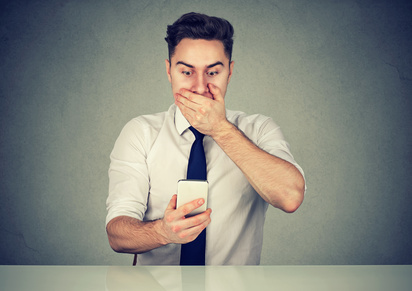
Is your computer acting strangely — slow performance, unexpected pop-ups, or unknown programs running in the background? These could be warning signs that your system has been hacked. Cyberattacks are more common than ever, and many go undetected until serious damage is done. In this article, we’ll show you how to recognize the signs of a compromised computer and walk you through the steps to fix it and protect your data moving forward.
Here are some signs of how to know if your computer is hacked
- Unfamiliar programs or toolbars: If you notice unfamiliar programs or toolbars on your computer that you didn’t install yourself, this could be a sign that your computer has been hacked. Hackers often install malware or other malicious software on a victim’s computer without their knowledge.
- Unusually slow performance: If your computer is suddenly running much slower than usual, it could be a sign that it’s been hacked. Hackers may install malware or other malicious software on your computer that consumes resources and slows down your system.
- Pop-up windows and error messages: If you’re seeing a lot of pop-up windows or error messages that you didn’t initiate, it could be a sign that your computer has been hacked. These pop-ups may contain links or prompts to install malware or other malicious software.
- Unauthorized access to your accounts: If you’re unable to log into your accounts or if you notice that someone has accessed your accounts without your permission, it’s possible that your computer has been hacked. Hackers may use your login information to access your accounts or may have installed malware that is capturing your login credentials.
- Unfamiliar files or folders: If you notice unfamiliar files or folders on your computer, it could be a sign that your computer has been hacked. Hackers may create these files or folders as part of their attack or may use them to store malicious software.
If you suspect something has happened to your computer, it’s important to take action as soon as possible to prevent further damage. Here are some steps you can take:
- Disconnect your computer from the internet: This will prevent the hacker from being able to access your computer or from installing further malware.
- Run a malware scan: Use a reputable antivirus or malware removal tool to scan your computer for malware. If any is found, follow the prompts to remove it.
- Change your passwords: If you suspect that your login credentials have been compromised, change your passwords for all of your accounts. Use strong, unique passwords and enable two-factor authentication for added security.
- Keep your security software up to date: Make sure that you have the latest version of your antivirus and malware removal software, and keep it up to date to ensure that it can detect and remove the latest threats.
By being aware of the signs of how to know if your computer is hacked and taking steps to protect yourself, you can reduce the risk of falling victim to a cyber attack. Stay safe online!
🛡️ Think Your Computer’s Been Hacked?
If you’re noticing strange behavior, unauthorized access, or performance issues, your system may have been compromised. At Landon Technologies, we offer expert Cybersecurity Services, IT Support, and remote IT support to get your device back in safe, working order.
- Malware and spyware scans
- System cleanup and software repair
- Password resets and security hardening
- Ongoing protection and monitoring options
📍 We help clients in Marietta, GA and across the U.S. recover quickly and secure their systems against future attacks.
Signs of a Hacked Computer: Frequently Asked Questions
Can I check if my computer is hacked?
Yes, there are several signs and checks that can help determine whether your computer may be hacked or compromised. Common warning signs include unusual pop-ups, unexpected software installations, slow performance, disabled antivirus protection, unknown user accounts, strange browser redirects, suspicious network activity, or unauthorized password changes. You can check for potential issues by reviewing installed programs, startup items, running antivirus and anti-malware scans, checking account login activity, monitoring network connections, and ensuring your operating system and software are fully updated. If you suspect a serious compromise, disconnecting the device from the internet and consulting a cybersecurity professional may be advisable.
What are the 12 signs your computer has been hacked?
Twelve common signs that a computer may have been hacked or compromised include:
- Unusually slow performance
- Frequent pop-ups or fake security alerts
- Unknown programs or apps installed
- Browser redirects or changed homepage/search engine
- Antivirus or firewall disabled unexpectedly
- Unauthorized password changes or login alerts
- High network or internet activity when idle
- Strange emails or messages sent from your accounts
- Files missing, encrypted, or modified unexpectedly
- New toolbars, extensions, or browser plugins appearing
- Webcam or microphone activating unexpectedly
- System crashes, freezes, or unusual error messages
These signs do not always guarantee a hack, but multiple symptoms together can indicate malware, spyware, ransomware, or unauthorized remote access. Running updated antivirus scans, checking system activity, and reviewing account security settings are important first steps if compromise is suspected.
Can you tell if someone is accessing your computer?
Yes, there are several signs that may indicate someone is remotely accessing your computer without authorization. Warning signs can include the mouse moving on its own, programs opening unexpectedly, unknown remote access software installed, unusual login activity, the webcam or microphone activating unexpectedly, files being modified, or high network activity when you are not actively using the system. You can also check for active remote sessions, installed remote access tools, unusual user accounts, login history, and suspicious processes through system settings or security software. Legitimate remote access tools used by businesses or IT departments may also trigger some of these signs, so context is important.
What are the two most common reasons hackers can access your system?
Two of the most common reasons hackers gain access to systems are weak or stolen passwords and phishing attacks. Weak passwords, reused passwords, or accounts without multi-factor authentication make it easier for attackers to break into systems using credential theft or brute-force attacks. Phishing attacks trick users into clicking malicious links, downloading malware, or revealing login credentials through fake emails, messages, or websites that appear legitimate. These two attack methods remain among the leading causes of cybersecurity breaches for both individuals and businesses.
🛡️ Cybersecurity
🛡️ Stay Ahead of Cyber Threats
Get the latest security insights and tips in our
👉 Cybersecurity Blog Category