
If you're still using Microsoft Office 2010, you're not alone. Many individuals and businesses continue to rely on programs like Word 2010, Excel 2010, and Outlook 2010 even though Microsoft officially ended support for Office 2010 on October 13, 2020. While the software may still run on many computers, the Office 2010 end of life means it no longer receives security updates, bug fixes, or technical support from Microsoft. In this article, we’ll explain what the Office 2010 end of support really means, whether the software will continue to function, the risks of using an unsupported version, and what upgrade options are available today.
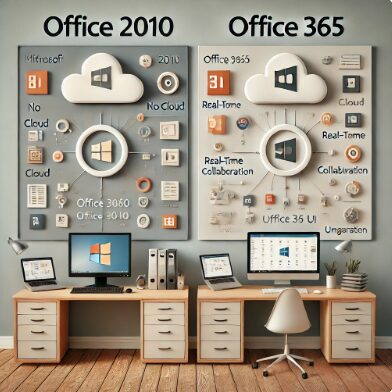
Software has a typical life span, after which the manufacturer turns its resources to supporting a more recent release. Support for Office 2010 ended on October 13, 2020. Microsoft no longer provides tech support, or bug or security fixes. That means there’s no protection from harmful viruses, spyware, or other malicious software. The software won’t be updated, and there’s no more phone or chat support if you run into trouble.
Cybercriminals know that Office 2010 users are on their own. They’re on the lookout for businesses relying on this legacy software. Without updates, you risk opening a document designed to leverage an unpatched exploit.
What can you do about Office 2010?
Move your business computers to one of the more modern Microsoft software offerings. You can choose to upgrade to the latest version of Office as a one-time purchase or buy a Microsoft 365 subscription to access the latest features, security updates, and other improvements.
The currently available version of Office, Office 2019, is available for PC or Mac. You can install Office only on one device, and you’ll get support and fixes during its lifecycle period only. New features aren’t offered.
Tip: Know that Office 2019 came out in September 2018 and is due to be succeeded by Office 2022 in the second half of 2021.
Before deciding to wait until 2021 for the next release, consider Microsoft 365 (MS 365). MS 365 gives you access to Office’s cloud-connected features across devices, plus, 1 TB of OneDrive storage, Office mobile apps, Skype minutes, and access to support.
As new MS 365 features become available, all subscribers get access on a monthly basis. With a business account, the administrator can control when you are able to see them.
Is MS 365 a Good Replacement for Office 2010?
You may want to keep everything on-premises for compliance or regulatory reasons, or perhaps you feel better having everything where you can see it. You can upgrade to Microsoft 365 and use offline versions of their software.
Still, for many, MS 365 appeals because it’s on the cloud, or both on-premises and in the cloud. Employees can use familiar tools such as Word or Excel installed on desktops, then save files to the cloud. This makes work available anywhere, from mobile phones, tablets, laptops, and other devices.
Microsoft 365 also adds in Teams. Enjoy video conferencing, screen sharing, group chat, calling and Teams collaboration software.
Then, you always have the latest version of Office, Exchange, SharePoint, and Skype. Your subscription sets you up with the latest version without the need for a major migration.
MS 365 comes in several different business packages. The Basic version provides free Web and Mobile only, along with Exchange, OneDrive, SharePoint, and Teams. If you don’t need those four services, save money using the free, web-only Office 365 Online version.
Office 2010 End of Life
Ignoring Office 2010's end date could be costly. Don’t risk a disaster. Upgrade your old-school Office software today. We have covered the question, Will Office 2010 still work after 2020 and recommend what to do about it.
If upgrading seems overwhelming, our IT experts can take it on. A managed service provider can suggest the best software for your business needs and set it up, too. Let us help! Call us now at 888-596-3998.
🧩 Still Using Microsoft Office 2010?
Microsoft Office 2010 reached end-of-life in 2020 — meaning no more updates, patches, or support from Microsoft. At Landon Technologies, we help businesses and professionals upgrade smoothly to Microsoft 365 with minimal disruption through our IT remote services and Managed IT Services for Small and Medium-sized Businesses.
- Office 2010 to Microsoft 365 migration planning
- Email and OneDrive data transfer
- License consulting and security hardening
- Ongoing support and user training
💼 Whether you’re in Roswell, GA or working remotely, we’ll make sure your tools are up to date and secure.
Get Help Upgrading from Office 2010
Microsoft Office End of Support – Frequently Asked Questions
How do I activate Office 2010 after it expires?
If Microsoft Office 2010 shows as expired or asks for activation, you can usually activate it again using a valid product key. Even though Microsoft ended support for Office 2010 in October 2020, the software can still be activated if you have a legitimate license.
1. Enter your product key
Open any Office 2010 application such as Word or Excel. If activation is required, you will see a prompt asking for a 25-character product key. Enter the key that came with your Office purchase.
2. Activate online
In most cases, Office 2010 will attempt to activate automatically over the internet after you enter the product key.
3. Use phone activation if needed
If online activation fails, Office may provide an option to activate by phone. This process involves calling a Microsoft automated system and entering an installation ID to receive a confirmation code.
4. Verify your license type
If Office 2010 was installed using a trial version or volume license, it may require a different activation method or a valid license key.
Keep in mind that Office 2010 is no longer supported by Microsoft, which means it does not receive security updates or technical support. While activation may still work, upgrading to a supported version such as Microsoft 365 or Office 2021 is recommended for better security and compatibility.
Can I still use Office 2016 in 2025?
Yes, you can still use Microsoft Office 2016 in 2025, but it is no longer supported by Microsoft. Office 2016 reached its end of support on October 14, 2025, which means Microsoft no longer provides security updates, bug fixes, or technical support for the software.
Even after support ends, applications like Word 2016, Excel 2016, PowerPoint 2016, and Outlook 2016 may continue to run on many computers. However, there are some important risks and limitations to consider:
1. No security updates
Without security patches, newly discovered vulnerabilities will not be fixed, which can increase the risk of malware or cyberattacks.
2. Compatibility issues
Over time, Office 2016 may become less compatible with newer versions of Windows, cloud services, and modern file formats.
3. Limited integration with Microsoft services
Some features that rely on Microsoft online services may stop working or experience reduced functionality.
4. Lack of technical support
Microsoft no longer provides official help or troubleshooting for Office 2016.
For individuals or businesses that rely heavily on Microsoft Office, upgrading to a supported version such as Microsoft 365 or Office 2021 is usually recommended to maintain security, compatibility, and ongoing updates.
Is it safe to use Windows 10 in 2026?
Windows 10 can still run in 2026, but it may not be safe to use without additional protection because Microsoft officially ended support for Windows 10 on October 14, 2025. After this date, the operating system no longer receives regular security updates, bug fixes, or technical support.
While your computer may continue to function normally, using an unsupported operating system increases certain risks.
1. No security updates
Once support ends, Microsoft no longer releases patches for newly discovered security vulnerabilities. This can make systems more vulnerable to malware, ransomware, and cyberattacks.
2. Software compatibility issues
Over time, newer applications and services may stop supporting Windows 10, which could lead to compatibility problems.
3. Reduced hardware support
New hardware devices and drivers may not be optimized for older operating systems.
4. Increased cybersecurity risk for businesses
Organizations that continue running unsupported operating systems may face greater security risks and compliance concerns.
In some cases, Microsoft may offer Extended Security Updates (ESU) for businesses that need more time to upgrade, but this is typically a temporary solution.
For better security and long-term support, most users are encouraged to upgrade to Windows 11 or a newer supported operating system before Windows 10 reaches its end of life.
Are Office 2010 files compatible with Office 2024?
Yes, files created in Microsoft Office 2010 are generally compatible with newer versions such as Office 2024. Documents created in Word 2010 (.docx), Excel 2010 (.xlsx), and PowerPoint 2010 (.pptx) use the same Office Open XML file formats that modern versions of Microsoft Office still support.
In most cases, you can open, edit, and save Office 2010 files in Office 2024 without any problems. However, there are a few things to keep in mind:
1. Newer features may not exist in older versions
Office 2024 includes features and formatting options that did not exist in Office 2010. If a file is edited with newer features and then reopened in Office 2010, some formatting or functionality may not appear correctly.
2. Compatibility mode may appear
When opening older documents, Office 2024 may display “Compatibility Mode,” which limits certain features to ensure the file can still work with older versions.
3. Macros and add-ins may behave differently
Some macros, plugins, or legacy add-ins created for Office 2010 may not function exactly the same in newer Office versions.
4. File formats remain largely consistent
Because Microsoft has maintained the same core file formats since Office 2007, most documents created in Office 2010 work seamlessly with modern Office releases.
Overall, Office 2024 is designed to maintain strong backward compatibility, so most Office 2010 documents can be opened and edited without issue.
💡 Small Business Tech Tips
💡 IT Advice for Small Businesses
Get practical tools and time-saving strategies in our
👉 Small Business Tech Tips Blog Category

 How to Keep Your Firmware Safe and Secure