

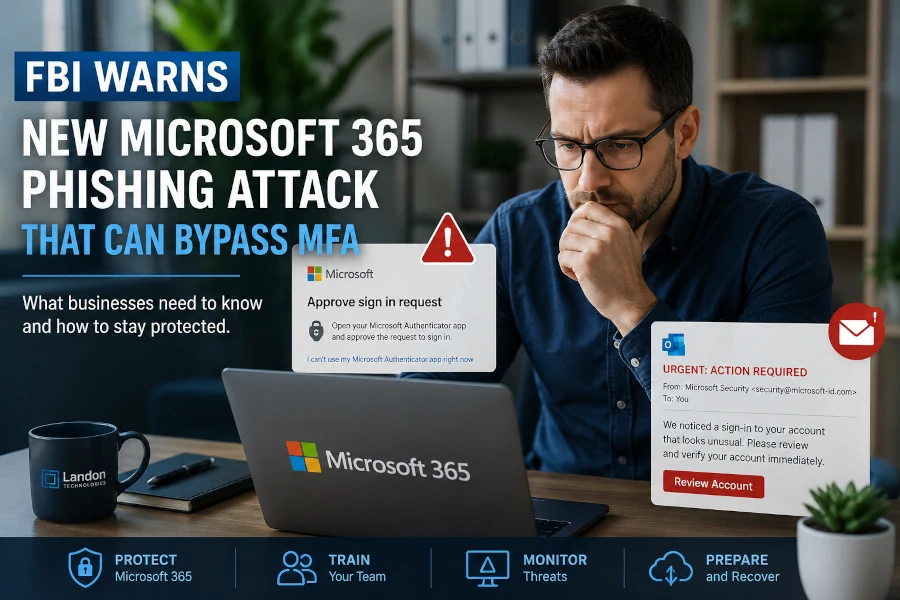
Small and medium-sized businesses rely on Microsoft 365 every day for email, file sharing, collaboration, and communication. Many organizations believe that enabling Multi-Factor Authentication (MFA) is enough to protect their Microsoft 365 accounts from cybercriminals. While MFA remains an essential Microsoft 365 security measure, a new phishing platform known as Kali365 demonstrates that attackers continue to develop sophisticated methods for bypassing traditional security controls.
The Federal Bureau of Investigation (FBI) has recently warned organizations about phishing campaigns leveraging Kali365, a phishing-as-a-service platform designed to steal Microsoft 365 access through advanced authentication attacks. Unlike traditional phishing attacks that focus solely on stealing usernames and passwords, these attacks target authentication tokens and approved sign-in sessions, potentially allowing attackers to gain access to business email accounts even when MFA is enabled.
Understanding how these attacks work and how to defend against them is critical for businesses that depend on Microsoft 365.
What Is Kali365?
Kali365 is a phishing-as-a-service platform that provides cybercriminals with tools to launch sophisticated phishing attacks against Microsoft 365 users. Rather than requiring extensive technical expertise, the platform allows less experienced attackers to conduct highly effective campaigns using pre-built phishing kits and automated tools.
The primary goal of Kali365 attacks is to gain access to Microsoft 365 accounts by exploiting legitimate authentication workflows. These attacks focus on obtaining access tokens that allow attackers to access email, files, and cloud services without needing to repeatedly enter a password.
As a result, organizations that rely solely on password security may find themselves vulnerable even when employees follow standard security practices.
Why This Threat Is Different
Traditional phishing attacks attempt to trick users into entering their usernames and passwords on fraudulent websites. Businesses have become increasingly aware of these tactics, and MFA has significantly reduced the success rate of many credential theft attacks.
However, modern phishing campaigns have evolved.
Rather than stealing passwords alone, attackers now target authentication sessions and tokens that have already been approved by the user. If successful, attackers can potentially gain access to Microsoft 365 services without triggering the same security controls that would normally protect an account.
This shift represents a growing trend in cybersecurity where attackers seek to exploit trust in legitimate authentication systems rather than attempting to crack passwords directly.
How Microsoft 365 Users Are Being Targeted
Many Microsoft 365 attacks begin with an email that appears legitimate. The email may contain a request to verify an account, review a document, approve a sign-in, or complete a security update.
While employee awareness is critical, organizations should also implement layered Email Security & Phishing Protection Services that help identify malicious messages, block phishing campaigns, and reduce the likelihood that fraudulent emails ever reach employee inboxes.
The user clicks a link and is directed through what appears to be a legitimate Microsoft authentication process. In some cases, attackers abuse Microsoft’s Device Code Authentication workflow, which is intended to help users sign in to devices that have limited input capabilities.
The victim unknowingly authorizes access, believing they are completing a legitimate Microsoft sign-in request. Once authorization is granted, the attacker may obtain access tokens that allow continued access to Microsoft 365 services.
From there, attackers may:
- Read business email
- Download files from OneDrive
- Access Microsoft Teams communications
- Search for financial information
- Conduct business email compromise attacks
- Launch additional phishing campaigns from trusted accounts
Why Small Businesses Are Attractive Targets
Many small businesses assume cybercriminals focus primarily on large enterprises. Unfortunately, the opposite is often true.
Small and medium-sized businesses frequently:
- Have limited cybersecurity resources
- Lack dedicated security personnel
- Use default Microsoft 365 security settings
- Have inconsistent employee security training
- Maintain fewer monitoring and detection tools
Attackers understand these realities and often view SMBs as easier targets.
In addition, compromised Microsoft 365 accounts can provide access to customer information, financial records, contracts, employee data, and confidential communications.
Is Multi-Factor Authentication Still Important?
Absolutely.
The emergence of threats like Kali365 does not mean MFA is ineffective. In fact, MFA remains one of the most important security controls available to businesses.
However, MFA should not be viewed as a complete cybersecurity strategy.
Modern attacks increasingly target user identities rather than traditional network perimeters. Implementing Cloud Security & Zero Trust Services helps businesses continuously verify users, enforce least-privilege access, strengthen Microsoft 365 security, and reduce the risk of compromised accounts even when attackers attempt to bypass traditional authentication controls.
Organizations should think of MFA as one layer within a broader security framework that includes:
- Security awareness training
- Conditional Access policies
- Email security protection
- Endpoint security
- Threat monitoring
- Identity protection
- Backup and disaster recovery solutions
Businesses that rely on MFA alone may still be exposed to emerging attack methods.
How Businesses Can Reduce Their Risk
Train Employees to Recognize Modern Phishing Attacks
Cybersecurity awareness training remains one of the most effective defenses against phishing.
Employees should be trained to:
- Verify unexpected login requests
- Avoid approving authentication prompts they did not initiate
- Report suspicious emails immediately
- Verify requests through alternate communication channels
Human awareness remains a critical security layer.
Review Microsoft 365 Security Settings
Many organizations use Microsoft 365 with default security configurations.
Businesses should review:
- Conditional Access policies
- Identity protection settings
- Sign-in risk monitoring
- MFA enforcement
- Device authentication policies
- Security alerts and reporting
A professional Cybersecurity Risk Assessment can identify security gaps within Microsoft 365, evaluate identity protection controls, review authentication policies, and uncover vulnerabilities before attackers have an opportunity to exploit them.
A properly configured Microsoft 365 environment can significantly reduce exposure to advanced threats.
Monitor for Suspicious Sign-In Activity
Businesses should regularly review login activity and authentication logs.
Warning signs may include:
- Sign-ins from unusual locations
- Unexpected device registrations
- Multiple failed login attempts
- Suspicious account activity
- Unrecognized authentication approvals
Early detection often prevents a small incident from becoming a major security event.
Implement Endpoint Protection
Even when attacks begin through email, endpoint protection remains essential.
Modern endpoint security solutions can help detect:
- Malicious downloads
- Credential theft attempts
- Suspicious processes
- Unauthorized access attempts
Combining endpoint security with Microsoft 365 protection creates a stronger security posture.
Work With a Managed IT and Cybersecurity Provider
Many small businesses lack the internal resources necessary to continuously monitor and secure Microsoft 365 environments.
A managed IT services provider can help organizations:
- Configure Microsoft 365 security controls
- Monitor suspicious activity
- Respond to security incidents
- Provide employee cybersecurity training
- Maintain secure backup systems
- Implement cybersecurity best practices
Proactive management often identifies risks before they become costly incidents.
Warning Signs Your Microsoft 365 Account May Be Compromised
Businesses should investigate immediately if they notice:
- Unexpected MFA prompts
- New mailbox forwarding rules
- Missing emails
- Unusual login alerts
- Unauthorized password changes
- Strange email activity
- Employees reporting suspicious messages from internal accounts
The faster a potential compromise is identified, the easier it is to contain.
If your organization believes a Microsoft 365 account has been compromised, rapid Incident Response & Recovery Services can help contain the attack, secure affected accounts, investigate unauthorized activity, and restore normal business operations while minimizing potential damage.
The Bottom Line
The FBI’s warning regarding Kali365 highlights an important reality of modern cybersecurity: attackers are constantly evolving their techniques. While Microsoft 365 remains a secure and powerful platform, businesses must understand that cybercriminals are increasingly targeting authentication workflows rather than simply stealing passwords.
Multi-Factor Authentication remains essential, but it should be combined with employee training, security monitoring, Microsoft 365 hardening, and proactive cybersecurity management.
For small and medium-sized businesses, the best defense is a layered security approach that reduces risk across users, devices, applications, and cloud services.
Organizations that take cybersecurity seriously today are far better positioned to avoid costly breaches, downtime, and data loss tomorrow.
Related Services
Businesses looking to strengthen Microsoft 365 security and reduce phishing risk may also be interested in:
- Email Security & Phishing Protection Services
- Cloud Security & Zero Trust Services
- Cybersecurity Risk Assessment Services
- Incident Response & Recovery Services
- Managed IT Services
- Microsoft 365 Management Services